

Free
With a free WebEquipe key
$0forever
$0forever
20 images every month, reset on the 1st.
Get a free key- All plugin features
- Credits reset monthly
- No card required
 AI alt text for WordPress · accessibility and image SEO
AI writes clear, accessible alt text for every image in your Media Library, on upload and in bulk. Fix hundreds of images in minutes, not weekends.
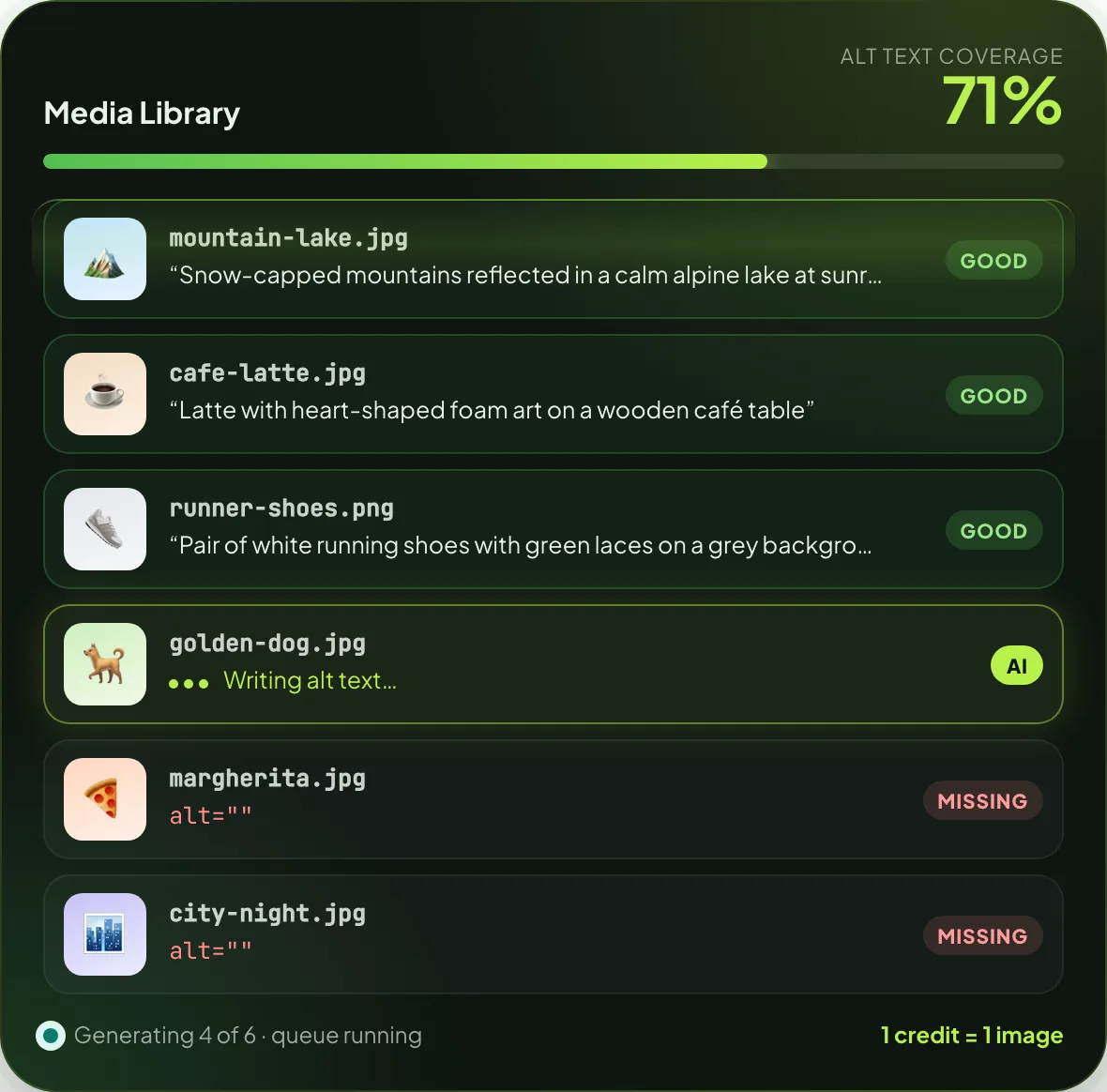
WebEquipe AI Alt Text is a free WordPress plugin that generates alt text for images with AI vision models. It writes descriptions automatically on upload and in bulk for existing images, flags missing, too short, too long and duplicate alt text, and works with your own OpenAI, Anthropic Claude or Google Gemini key, or with WebEquipe credits that need no AI account.
Powered by the models you trust
 OpenAI
 Claude
 Gemini
credit = 1 image
feature locks
of images per run
with your own key
Most media libraries are full of alt="". Screen readers say "image", and search engines learn nothing.
AI Alt Text fills every gap. New uploads are described on arrival, and old images are fixed in one bulk run.
See it in action
Watch a real Media Library go from hundreds of missing descriptions to fully described, in one bulk run.
How it works
Set it up once. Every new upload is handled from then on.
From WordPress.org, in under a minute. Every feature is included.
Paste a free WebEquipe key for credits, or your own OpenAI, Claude or Gemini key.
Fix everything that's missing in one bulk run. New uploads are described automatically.
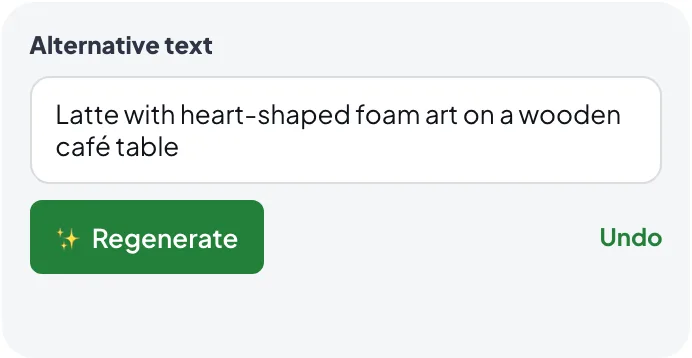
Check flagged images, regenerate any you don't like, or undo with one click.
Two ways to generate
Switch any time. Both modes are saved, so you never re-enter a key.
Paste your OpenAI, Claude or Gemini key. Requests go straight from your site to the provider, and you pay them directly, usually a fraction of a cent per image.
Get a free WebEquipe key and start right away. We handle the AI provider for you. One credit describes one image.
Alt text health check
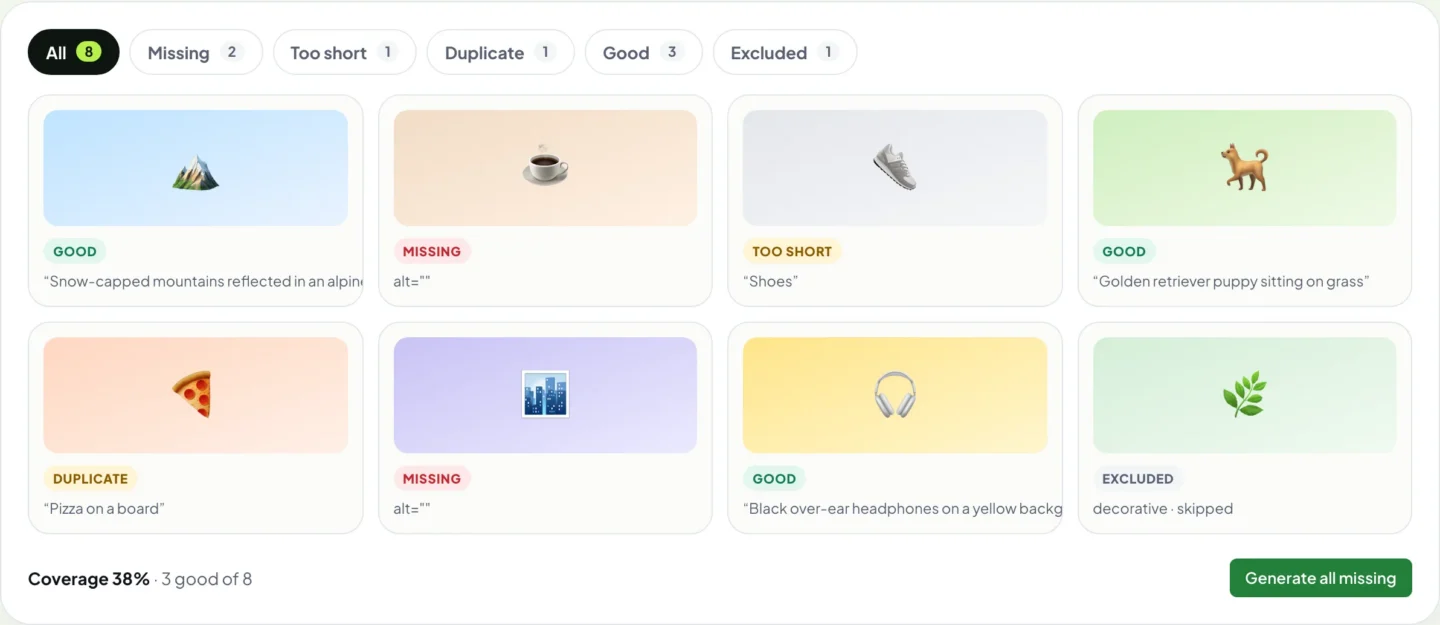
Every image gets a status. Filter to the problems, fix them in one go, and watch coverage climb.
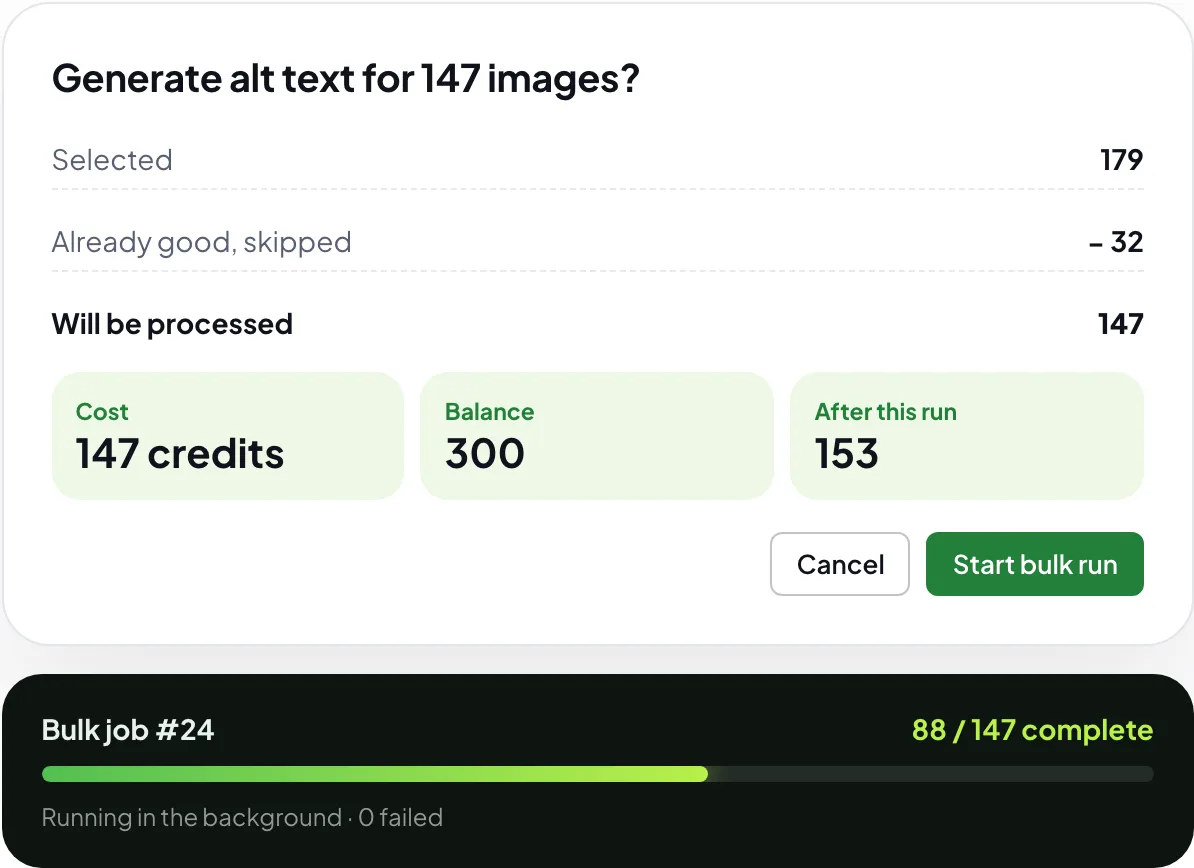
Bulk generation
Select everything that's missing and send it to the queue. You see the cost before anything runs, and the work happens in the background while you keep using WordPress.
Built into WordPress
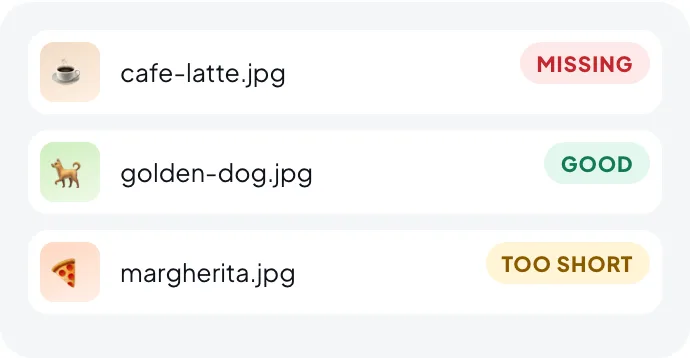
No new tool to learn. Alt text controls appear in the screens you use every day.
Reviews
“These app people have the most stellar response and support: contacted them twice for small hiccups and, within 24 hours, app adjusted!”
Features
There is no Pro version. Every feature works in both modes and on every plan.
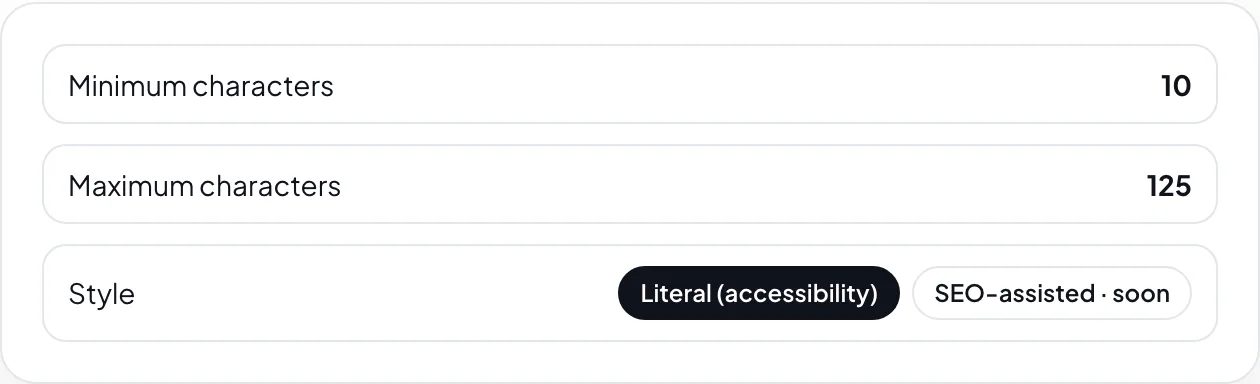
Set what good alt text looks like on your site. Anything too short, too long or duplicated is flagged, so you know exactly what to review.
Keep icons, avatars and dividers out of the queue. Mark decorative images on purpose, so they are never flagged as missing again.
Every generation is logged with its result. Undo restores the previous alt text, and failed images can be retried one by one or all at once.
Images are processed one at a time in the background, so large libraries never time out. Stuck jobs are cleared automatically.
Built for
Years of uploaded photos, described in an afternoon. Every new post is covered on upload.
Product images with clear descriptions that help shoppers using screen readers and image search.
Bring every client site up to standard with one install and their own key or credits.
Literal, WCAG-friendly descriptions, with flags for anything too short, too long or duplicated.
Privacy and security
{
  "image_url": "https://yoursite.com/…/cafe-latte.jpg",
  "filename": "cafe-latte.jpg",
  "post_title": "Our autumn menu",
  "style": "literal"
}
// returned and saved to the image's alt field
"alt_text": "Latte with heart-shaped foam art on a wooden café table"Pricing
Every feature is free. Credits are only for WebEquipe mode: 1 credit = 1 image. Upgrade the same key whenever you need more.
With a free WebEquipe key
$0forever
$0forever
20 images every month, reset on the 1st.
Get a free key300 images a month · Growth
$100.99
per year · About $8.42/month · 3600 credits up front · save $18.89$9.99
per month · Billed monthly · credits reset each monthOpenAI · Claude · Gemini
$0unlimited
$0unlimited
You pay the AI provider directly. WebEquipe charges nothing.
Download freeNeed a few more? Top-up pack: 30 credits for $2.99, added to any plan.
Buy top-upFAQ
It is a free WordPress plugin that writes alt text for your images with AI vision models. It describes new uploads automatically, fixes existing images in bulk, and flags alt text that is missing, too short, too long or duplicated.
Yes. The plugin and every feature are free. You either use your own OpenAI, Claude or Gemini key and pay the provider directly, or use WebEquipe credits, with 20 free images every month and paid plans when you need more.
One credit generates alt text for one image. Credits are only used in WebEquipe mode. With your own API key, WebEquipe charges nothing and there is no limit from us.
Buy a monthly or yearly plan, or a top-up pack, on webequipe.com. Your existing key is upgraded automatically, so there is nothing to change in the plugin.
OpenAI GPT-4o and GPT-4o mini, Anthropic Claude Sonnet and Haiku, and Google Gemini Pro and Flash. By default the plugin picks the most affordable vision model for your provider.
No. Only the public link to the image, its filename and the post title are sent. With your own key the request goes straight to your provider; in WebEquipe mode it goes to our service, which does not store your images.
Not by default. Automatic and bulk runs skip images that already have alt text unless you turn on overwriting. Regenerating one image always works, and Undo restores the previous text.
The AI provider must be able to load your image links, so images on a site that is not reachable from the internet cannot be described.
Alt text helps screen reader users understand your images and helps search engines index them. The plugin writes literal, accessibility-first descriptions and flags anything that needs a human check.
Alt text is a short written description stored in an image's alt attribute. Screen readers read it aloud to people who cannot see the image, it is shown if the image fails to load, and search engines use it to understand what the image shows.
Yes. WCAG success criterion 1.1.1 (Non-text content) asks for a text alternative for every meaningful image, and many accessibility laws and audits are based on WCAG. Images without alt text are one of the most common accessibility errors found on websites.
Short and specific: usually one sentence, and many guides suggest staying around 125 characters. The plugin lets you set a minimum and maximum (default 10 to 125 characters) and flags anything outside that range for review.
Images that are purely decorative, such as dividers or background shapes, should have an empty alt attribute so screen readers skip them. Mark them as Decorative in the plugin, or add a skip pattern, and they will never be flagged as missing.
Yes. Generated alt text is saved to the normal WordPress alt field, so you can edit it like any other alt text. You can also regenerate it, or undo back to the previous version.
No. Screen readers already announce that it is an image, so the plugin writes the description directly, for example "Golden retriever puppy sitting on grass", not "Image of a dog".
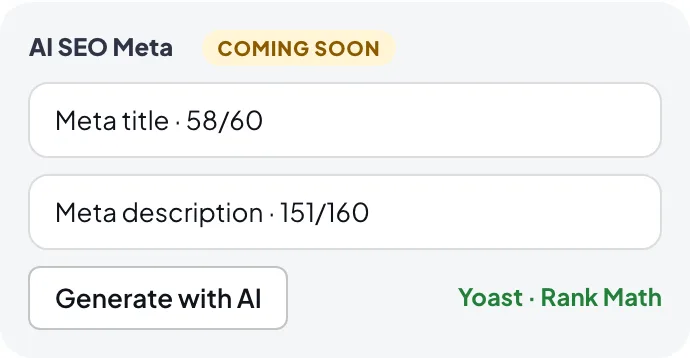
No. It works inside the Media Library, the image edit screen, the block editor sidebar and its own screens under AI Alt and Meta.
Install the free plugin, describe your first 20 images today, and fix the rest whenever you're ready.
Help
Support
Questions about AI Alt Text, a bug, billing, or a feature you'd like. The developers who built it will reply.
Thanks. We'll reply to your email within 24–48 hours.